 Miftawerk Connect
Free · no account · local only
KeePass in your browser.
With passkeys.
Miftawerk Connect fills logins, TOTP codes and passkeys from your KeePass database in Chrome, Edge, Brave, Vivaldi and Firefox – and warns you when a page imitates one of your sites.
Brave and Vivaldi use the Chrome Web Store. Edge is in review.
- Free
- no account
- local only
- KeePass 2 & KeePassXC
- Windows · Linux
Passkeys
Passkeys, stored in KeePass.
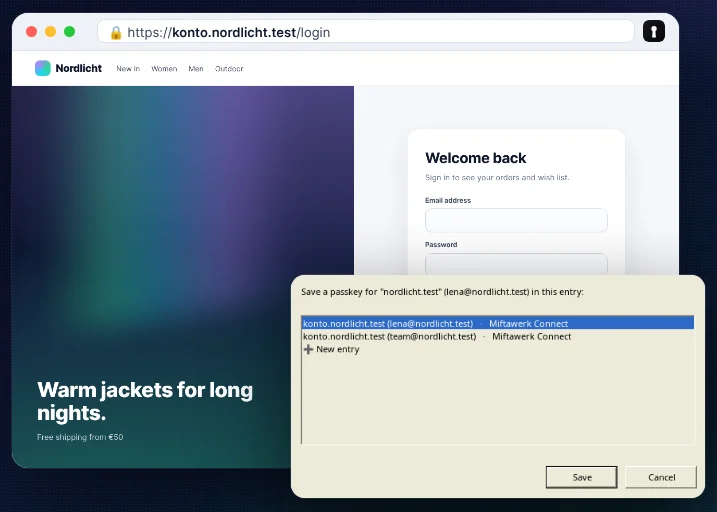
Websites create passkeys and sign you in with them – KeePass stores them in the entry and asks before every save and every sign-in.
Protection
Fake site? Not a single password.
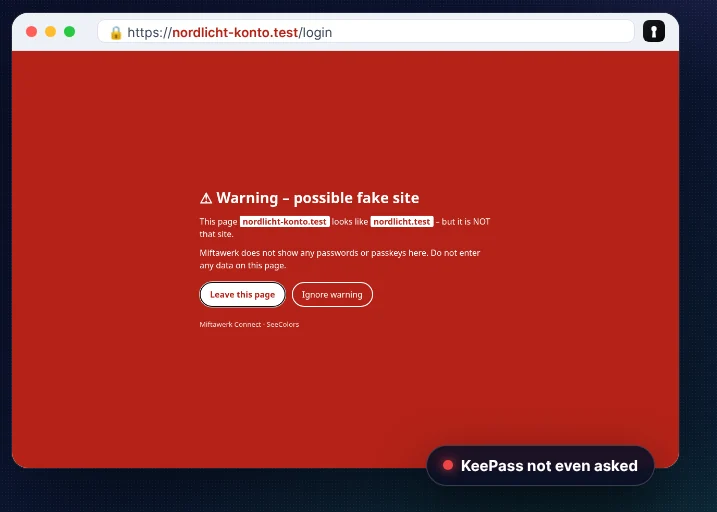
Sites that imitate one of your sites get nothing. KeePass is not even asked, and a red warning appears.
What it does
Fill with one click
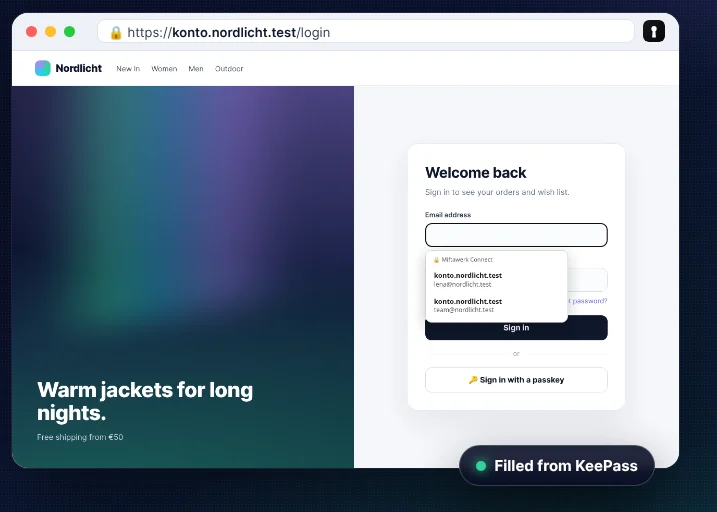
Click into a login field: a small menu shows matching logins (names only). One click fills – nothing is ever submitted automatically.
Passkeys in KeePass
Websites can create and use passkeys; KeePass stores them in the entry (same format as KeePassXC) and asks before every save and every sign-in.
TOTP codes
Two-factor codes from the OTP fields of KeePass and KeePassXC – insert or copy.
Fake-site warning
paypa1.com, paypal-login.com or pаypal.com with a Cyrillic “а”: such pages get no logins, KeePass is not even asked, and a red warning appears.
Save new passwords
After signing up or changing a password, the extension asks whether KeePass should save it – only for really new passwords.
You decide per site
On first access KeePass shows which entries a site may get – allow or deny, remembered per site.
Ready in three steps
The extension talks to KeePass through a small connector – set it up once and you are done.
- 1
Install the extension
From the Chrome Web Store or Firefox Add-ons – free.
- 2
Install the connector
Download the ZIP, unpack it, run the installer. It includes the KeePass 2 plugin; KeePassXC uses the connector too.
Connector for Windows (ZIP) - 3
Pair in KeePass
Open KeePass, click “Connect” in the extension and confirm the pairing in KeePass.
Version 0.1.0 · Windows 10/11 · Linux installer follows with the GitHub release.
Privacy first
Your passwords never leave your computer.
Built on “data protection by design” (Art. 25 GDPR): no account, no server, no cloud.
Your computer only
The extension talks only to KeePass on the same device (native messaging), additionally encrypted (NaCl).
No telemetry
No statistics, no tracking, no ads, no remote code.
One request, disclosed
The KeePass plugin fetches a signed version file from seecolors.de through KeePass’ own update check. We keep no access log for it; you can switch the check off in KeePass.
Open licenses
Extension under Apache-2.0, KeePass plugin under MIT. The store reviewers received the source code, and it will be published on GitHub.
Works with
- KeePass 2 (KeePass Password Safe)
- through our plugin MiftawerkConnect.dll
- KeePassXC 2.6+
- through its built-in browser integration
- Browsers
- Chrome, Edge, Brave, Vivaldi, Chromium, Firefox
- Systems
- Windows and Linux (macOS: installer included, not yet tested)
FAQ
What does Miftawerk Connect cost?
Nothing – commercial use included. There is no paid version and no advertising.
Do I need an account?
No. There is no server and no account. The extension only connects to KeePass on your computer.
What if KeePass is closed?
Then nothing can be filled, and for passkeys websites use the browser’s normal dialog.
Is it compatible with KeePassXC passkeys?
Yes. Passkeys are stored in the same field format as KeePassXC uses.
Contribute
The source code will be published on GitHub. Contributions are welcome – with a Developer Certificate of Origin sign-off, two-person review for security-critical parts.
Your passwords. Your computer. Your KeePass.
Free, no account, no cloud – install Miftawerk Connect in a minute.
Found a vulnerability? [email protected], subject “SECURITY Miftawerk Connect” – please not in public.
Made by Mahmoud Shalaleh, RamzX – Heidelberg, Germany.
KeePass and KeePassXC are trademarks of their owners. Miftawerk Connect is an independent project and not affiliated with them. Chrome, Firefox, Brave and Vivaldi are trademarks of their owners; the logos only show where the extension runs.